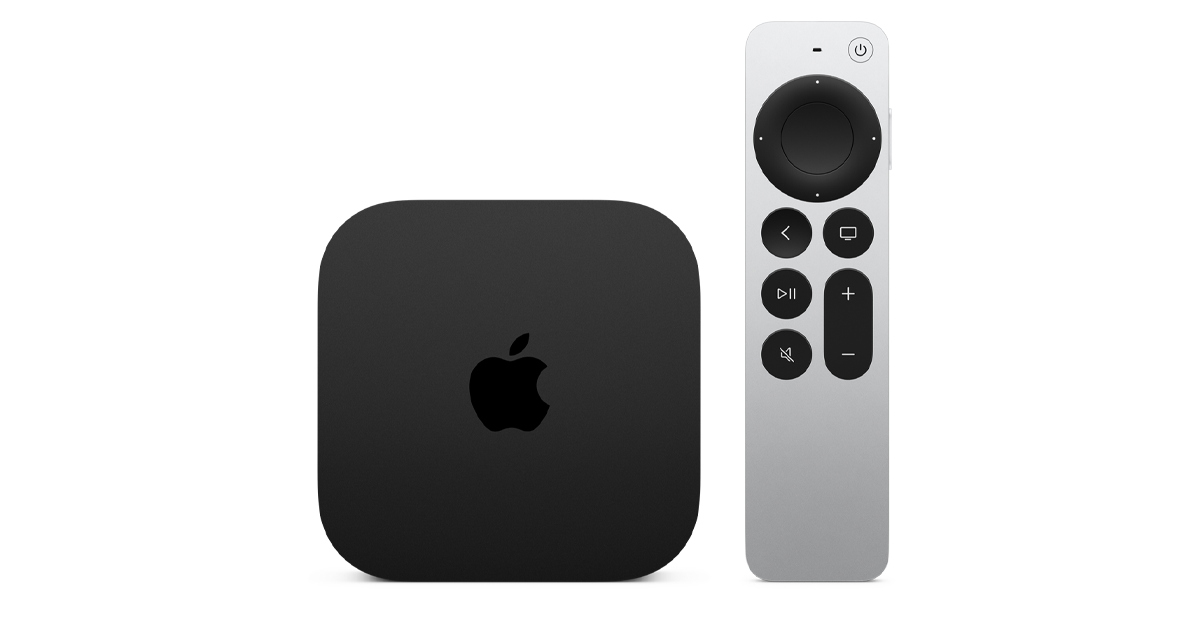
Apple TV 4K is better for Apple ecosystem users: AirPlay, HomeKit, tvOS speed, and the best Dolby Vision implementation available in a streaming box. Roku Ultra is better for Android and mixed-platform households that want simplicity, the best cross-service search, and a lower price. Neither is objectively better. The right choice depends on which phone and ecosystem you already use.
Apple TV 4K vs Roku Ultra at a glance
| Spec | Apple TV 4K | Roku Ultra | Winner |
|---|---|---|---|
| Price | Around $130 | Around $100 | Roku Ultra |
| Max resolution | 4K Dolby Vision | 4K HDR (no Dolby Vision) | Apple TV 4K |
| AirPlay support | Yes (native) | No | Apple TV 4K |
| Smart home hub | HomeKit and Thread | No | Apple TV 4K |
| Cross-service search | Good (Apple TV app) | Excellent (Roku universal search) | Roku Ultra |
| Android phone compatibility | Limited (no Chromecast) | Full | Roku Ultra |
| Platform speed | Very fast (A15 Bionic) | Fast | Apple TV 4K |
| Remote | Siri Remote with touch surface | Roku voice remote pro | Tie |
Where Apple TV 4K wins
The A15 Bionic chip makes the Apple TV 4K the fastest streaming box available. Apps load instantly, navigation is smooth with no stutter, and the platform never feels slow regardless of how many apps are installed.
Dolby Vision implementation is the best of any streaming device. Apple licenses Dolby Vision and implements it properly across Netflix, Disney+, and Apple TV+ content. Roku Ultra supports HDR10 but not Dolby Vision, which is a meaningful quality difference on compatible TVs.
AirPlay lets you stream content from your iPhone, iPad, or Mac directly to the TV without opening an app. I use this daily for sharing photos, mirroring browser tabs, and watching video from apps that are not on the Apple TV app store. For Apple households, this is a genuine daily convenience that Roku cannot replicate.
Where Roku Ultra wins
Roku’s universal search is genuinely the best in the streaming box category. Searching for a title surfaces results across Netflix, Prime Video, Disney+, Apple TV+, and free ad-supported platforms simultaneously. It shows you where to watch and at what price. I found content on Roku’s search that the Apple TV app missed completely.
For Android users, Roku is the more natural companion. Chromecast-compatible apps work with Roku but not with Apple TV. Sharing from an Android phone to the TV is easier on Roku. If your household mixes iPhone and Android users, Roku’s platform is more neutral.
The $30 lower price is also meaningful for budget buyers. The Roku Ultra delivers 4K HDR streaming at a lower cost with no meaningful quality gap for users who do not care about Dolby Vision or AirPlay.
Frequently asked questions
Does Roku Ultra support Dolby Vision?
No. Roku Ultra supports HDR10 and HDR10+ but not Dolby Vision. Apple TV 4K supports Dolby Vision. For TVs and content that support Dolby Vision, Apple TV 4K delivers better HDR quality than Roku Ultra. For standard HDR10 content, both devices perform similarly.
Is Apple TV 4K worth the extra cost over Roku Ultra?
For Apple iPhone users: yes. AirPlay, HomeKit, and Dolby Vision justify the $30 premium. For Android users or households without Apple devices: Roku Ultra delivers the same 4K streaming quality for less money with better universal search and more neutral platform compatibility.
My verdict
Bottom line: Apple TV 4K wins for Apple households. Roku Ultra wins for everyone else.
Buy Apple TV 4K if: you have an iPhone, use AirPlay, want HomeKit integration, or care about Dolby Vision.
Skip Apple TV 4K if: you use Android, do not care about AirPlay, or want to spend $30 less for functionally equivalent streaming.
Compare more streaming box options
See how both devices compare against the full streaming device field.
See all streaming device picks