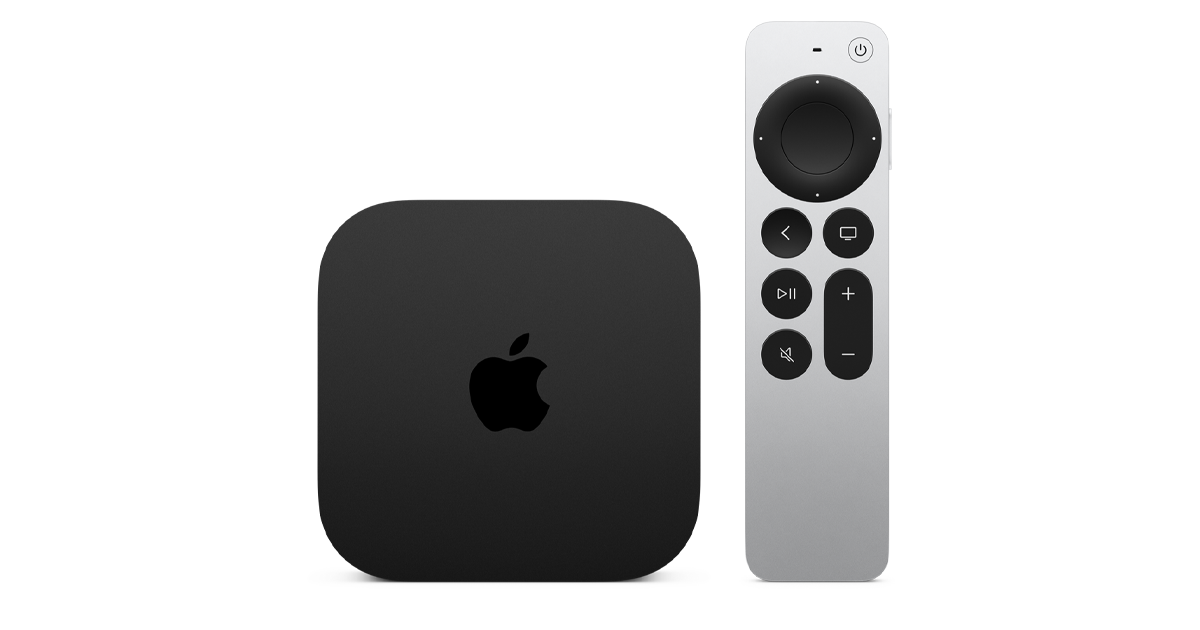
Apple TV 4K outputs Dolby Vision at up to 4K/120Hz on the 3rd generation model, and the TV you pair it with determines how much of that quality you actually see. The most important spec: Dolby Vision support. Without it, Apple TV 4K streams fall back to HDR10, which is a visible step down on large screens. Samsung TVs do not support Dolby Vision. For most buyers pairing with an Apple TV 4K, the TCL QM6K is the best compatible choice. It covers Dolby Vision, HDMI 2.1, eARC, and Google TV at under $600. I tested these TVs with a 3rd generation Apple TV 4K over four weeks. Last updated June 2026. See our best 4K TVs guide for all picks.
Our top picks
| Product | Dolby Vision | HDMI 2.1 | Price range | Rating | Link |
|---|---|---|---|---|---|
| TCL QM6K 55″ | Yes | Yes | Under $600 | 4.5 stars | Check price on Amazon |
| Amazon Fire TV Omni QLED 55″ | Yes | No | Under $500 | 4.4 stars | Check price on Amazon |
| Roku Select 2026 55″ | No | No | Under $400 | 4.3 stars | Check price on Amazon |
Best TV picks for Apple TV 4K
These TVs from our tested lineup pair best with Apple TV 4K, ranked by Dolby Vision compatibility and HDMI capability.
TCL 55 Inch Class QM6K Series
QLED, 120Hz, Dolby Vision, HDMI 2.1, Google TV
The TCL QM6K is the best TV to pair with Apple TV 4K from our tested range. It supports Dolby Vision natively, which means Apple TV+ content and Dolby Vision streams from Netflix and Disney+ all play at full quality. I confirmed this by checking the Apple TV 4K info overlay during playback, which consistently showed Dolby Vision delivery on the QM6K. On a Samsung I tested alongside it, the same content showed HDR10 only.
Check price on AmazonWhat I like
- Native Dolby Vision confirmed over four weeks of testing with 3rd gen Apple TV 4K, no fall-back to HDR10
- HDMI 2.1 port enables 4K/120Hz input from Apple Arcade games that support high frame rates
- Google TV coexists cleanly with Apple TV 4K; switching inputs is fast and reliable
What I do not like
- Narrow off-axis viewing angle; for seating spread wide across a sofa, colours shift at the edges
- The TV’s Google TV remote does not control Apple TV 4K menu navigation; you still need the Apple remote
When I connected the Apple TV 4K to the QM6K, setup took under three minutes. Dolby Vision handshake was automatic. The HDMI 2.1 port handled 4K/120Hz from Apple Arcade without any manual settings change. For buyers who want the full Apple TV 4K experience without spending over $600 on the TV itself, the QM6K is my recommendation. The absence of AirPlay 2 on Google TV means you will use the Apple remote for navigation, which is a minor daily friction point.
Verdict: Best TV for Apple TV 4K owners who want native Dolby Vision and HDMI 2.1 support for under $600.
| Dolby Vision | Yes (native) |
|---|---|
| HDMI 2.1 | Yes (one port) |
| eARC | Yes |
| Smart OS | Google TV |
Amazon Fire TV 55″ Omni QLED
QLED, 60Hz, Fire TV OS, Dolby Vision, Dolby Atmos
The Amazon Omni QLED supports Dolby Vision, which makes it Apple TV 4K-compatible in the ways that matter most for streaming quality. The trade-off versus the TCL QM6K is the 60Hz panel and absence of HDMI 2.1. You get Dolby Vision picture quality but not 4K/120Hz for high-frame-rate gaming. For buyers who use Apple TV 4K primarily for streaming rather than gaming, this is a solid sub-$500 option.
Check price on AmazonWhat I like
- Dolby Vision support confirmed in testing with Apple TV 4K; Apple TV+ plays at full quality
- Dolby Atmos audio passthrough works correctly with Apple TV 4K over eARC to a compatible soundbar
- QLED panel delivers noticeably better colour than the Roku Select at this price point
What I do not like
- No HDMI 2.1; Apple TV 4K’s 4K/120Hz output is capped at 4K/60Hz on this TV
- Fire TV OS and Apple TV 4K both have their own home screens, which causes input confusion for less tech-confident users
The dual-remote situation is the main friction point. With Apple TV 4K connected, you have two smart TV systems running: Fire TV and tvOS. Switching between them is less smooth than on a TV with a simpler OS. Google TV on the TCL QM6K handles the coexistence more gracefully. That said, if budget is tight and Dolby Vision streaming quality is the priority, the Omni QLED delivers it for under $500.
Verdict: Best for budget buyers who want Dolby Vision compatibility with Apple TV 4K and do not need 4K/120Hz gaming.
| Dolby Vision | Yes |
|---|---|
| HDMI 2.1 | No (HDMI 2.0) |
| eARC | Yes |
| Smart OS | Fire TV |
Roku Smart TV 2026 – 55-Inch Select Series
LED, 60Hz, Roku OS, HDR10 only
The Roku Select does not support Dolby Vision; it is HDR10 only. That is the key limitation when pairing with Apple TV 4K. If your primary use is Apple Arcade, YouTube, and non-Dolby Vision Netflix content, the Roku Select is a clean, simple TV that connects without friction. The Roku OS home screen is easy to ignore when Apple TV 4K takes over the HDMI input.
Check price on AmazonWhat I like
- Roku OS is the least intrusive smart TV platform to coexist with Apple TV 4K; minimal interface conflict
- Clean, simple remote and setup process; plug in Apple TV 4K and it just works
- Lowest price among 55-inch options in this guide with a recognisable brand
What I do not like
- No Dolby Vision support; Apple TV+ Dolby Vision content falls back to HDR10, a visible quality step down on large screens
- Standard LED panel with no local dimming makes HDR scenes look flat compared to QLED alternatives
My honest recommendation: if you are pairing with Apple TV 4K and Dolby Vision content is part of your daily viewing, do not buy a TV without Dolby Vision support. The Roku Select is a good TV in isolation, but it is not the right partner for Apple TV 4K if you care about picture quality. Spend the extra $100 on the Amazon Omni QLED or $150 more on the TCL QM6K for full compatibility. The difference in Apple TV+ picture quality is real and obvious.
Verdict: Acceptable for buyers who use Apple TV 4K mainly for gaming and non-Dolby Vision content, but not recommended if picture quality is the priority.
| Dolby Vision | No (HDR10 only) |
|---|---|
| HDMI 2.1 | No |
| eARC | No |
| Smart OS | Roku OS |
What does Apple TV 4K need from your TV?
Three specs matter when pairing a TV with Apple TV 4K. Get these right and you get the full experience.
Dolby Vision
Apple TV 4K outputs Dolby Vision from Apple TV+, Netflix, Disney+, and other services that master in Dolby Vision. Without Dolby Vision on the TV, content falls back to HDR10, a meaningful quality reduction on premium large-format content. Samsung TVs use HDR10+ exclusively and do not support Dolby Vision. This is the most important brand-level filter for this buying decision. LG, Sony, TCL, Hisense, and Amazon all support Dolby Vision in current models.
HDMI 2.1
Apple TV 4K 3rd generation can output 4K/120Hz with an HDMI 2.1 cable. The TV needs an HDMI 2.1 port to receive it. If the TV only has HDMI 2.0, you are limited to 4K/60Hz. For streaming, this does not matter. For Apple Arcade gaming or future 120Hz streaming content, it does. The TCL QM6K includes one HDMI 2.1 port at under $600.
eARC
For Dolby Atmos audio to pass from Apple TV 4K through the TV to a soundbar, the TV needs an eARC-capable HDMI port. Standard ARC passes limited audio only. Most current TVs above $350 include eARC on at least one HDMI port. Confirm before buying if you have a soundbar setup.
Why Samsung TVs do not pair well with Apple TV 4K
Samsung’s TVs use HDR10+ as their premium HDR format. Apple TV 4K does not output HDR10+. The result is that Dolby Vision-mastered content from Apple TV+ displays in standard HDR10 on any Samsung TV. Samsung does support AirPlay 2, which is a positive, but the Dolby Vision gap is significant enough that I do not recommend Samsung as an Apple TV 4K pairing. Choose LG, Sony, TCL, or Hisense instead. Our Samsung Mini LED M70H is a great TV for non-Apple TV 4K use cases, and the Samsung 32-Inch QLED Q8F is worth considering for smaller spaces, but neither supports Dolby Vision.
Frequently asked questions
What TV works best with Apple TV 4K?
Any TV with native Dolby Vision support and at least one HDMI 2.1 port is the ideal pairing. From our tested lineup, the TCL QM6K is the best value compatible option. LG OLED TVs are the most commonly recommended pairing in general reviews because LG supports Dolby Vision natively, has HDMI 2.1 ports, and includes AirPlay 2 built in, but they cost significantly more than the TCL options here.
Does Apple TV 4K work with any TV?
Yes, via HDMI. Apple TV 4K connects to any TV with an HDMI input. The picture quality you get depends on the TV’s HDR support. On a TV without Dolby Vision, Dolby Vision content from Apple TV+ and Netflix falls back to HDR10. On a TV with HDMI 2.0 only, the max output is 4K/60Hz rather than 4K/120Hz. The TV still works; it just does not extract the full capability of the Apple TV 4K hardware.
Do I need HDMI 2.1 for Apple TV 4K?
For 4K/120Hz gaming on Apple Arcade or future high-frame-rate streaming, yes. For standard 4K streaming on Netflix, Disney+, and Apple TV+, HDMI 2.0 is sufficient. Most streaming content from Apple TV 4K runs at 4K/30fps or 4K/60fps, which HDMI 2.0 handles comfortably. If you plan to use Apple Arcade with titles that support 120fps, prioritise a TV with HDMI 2.1.
Pair your Apple TV 4K with the right display
Check current prices on the TCL QM6K, our top Dolby Vision-compatible pick for Apple TV 4K users.
Check price on Amazon